FitPocket AI coaching mechanics INSIDE FITPOCKET

How FitPocket’s adaptive AI coaching works.

FitPocket connects what you planned, what you actually did, what you ate, how training felt, and the health data you choose to share. Those signals give future plan updates more useful context.
  • Real iPhone app screens
  • Reviewable plan changes
  • Educational wellness guidance
STATIC TRACKER VS ADAPTIVE COACHING

The difference is what happens after the plan is created.

A static tracker records activity against a fixed calendar. FitPocket is designed to bring approved feedback into the next planning cycle and explain the result.

01

A static fitness tracker

  1. Creates or displays a schedule
  2. Records completed activity
  3. Leaves the user to interpret what should change
02

FitPocket’s feedback loop

  1. Builds from goals, time, experience and equipment
  2. Captures workout, meal, check-in and progress context
  3. Shows what changed, what stayed stable and which signals were missing
01 · LIVE VOICE TRAINER

A trainer you can talk to—not another silent animation.

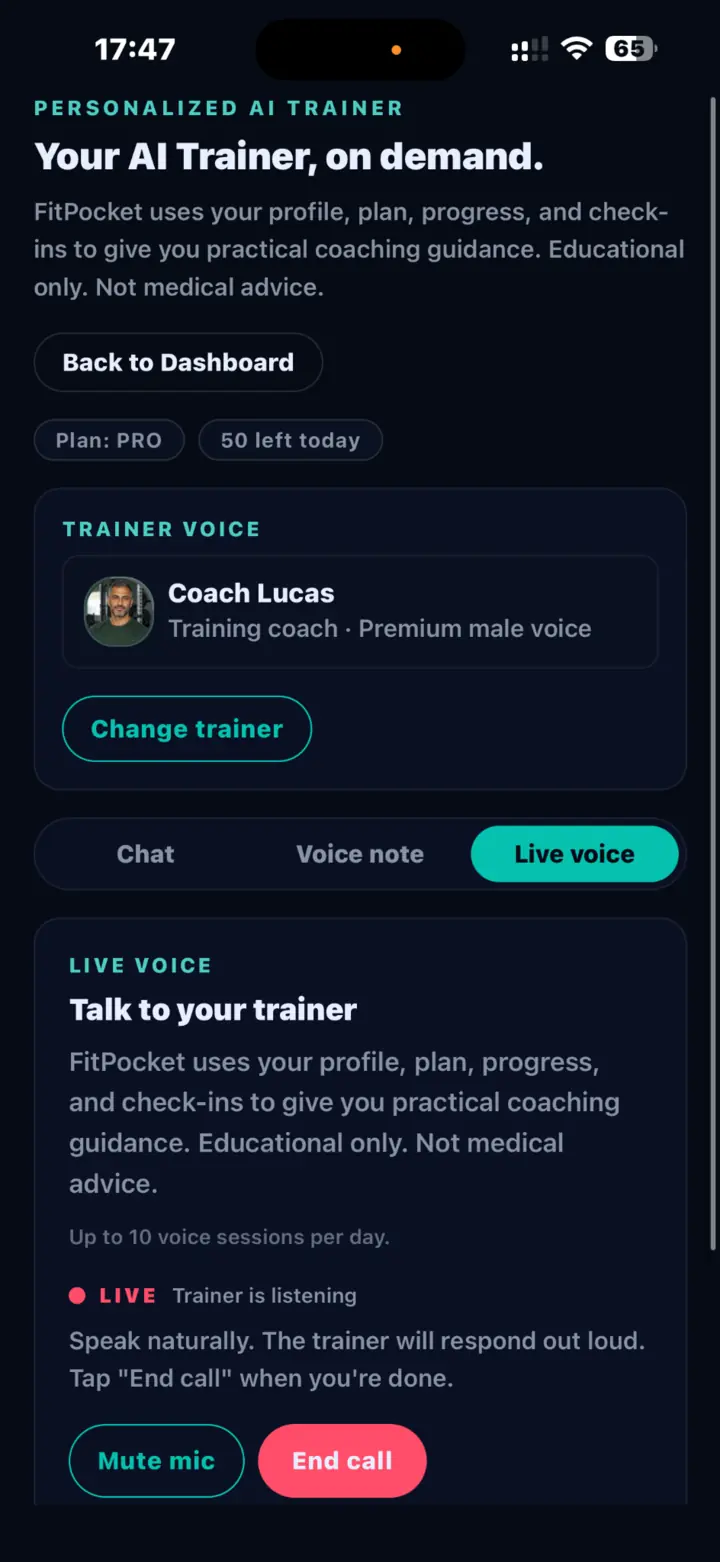
Choose a trainer voice, start a live session and speak naturally. The trainer can use your FitPocket profile, plan, progress and check-ins to provide practical coaching guidance and respond out loud.

  • Hands-free live audio conversation
  • Trainer selection with distinct coaching styles
  • Clear mute and end-call controls
  • Educational guidance, not medical advice
Live FitPocket voice trainer call with listening status, mute control and end-call button
Live voice session with the selected trainer.
02 · WEEKLY PLAN RECALIBRATION

From a personalized week to an explainable update.

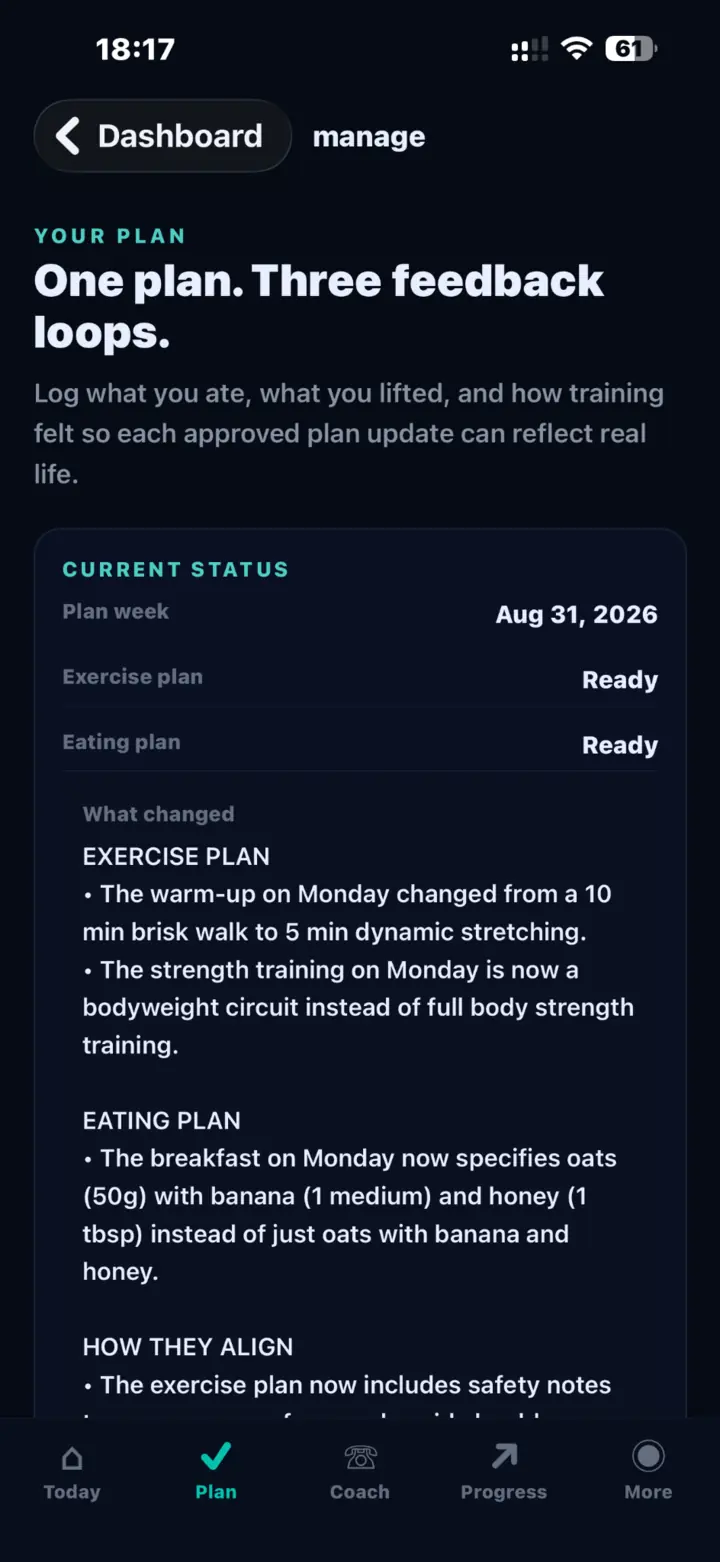
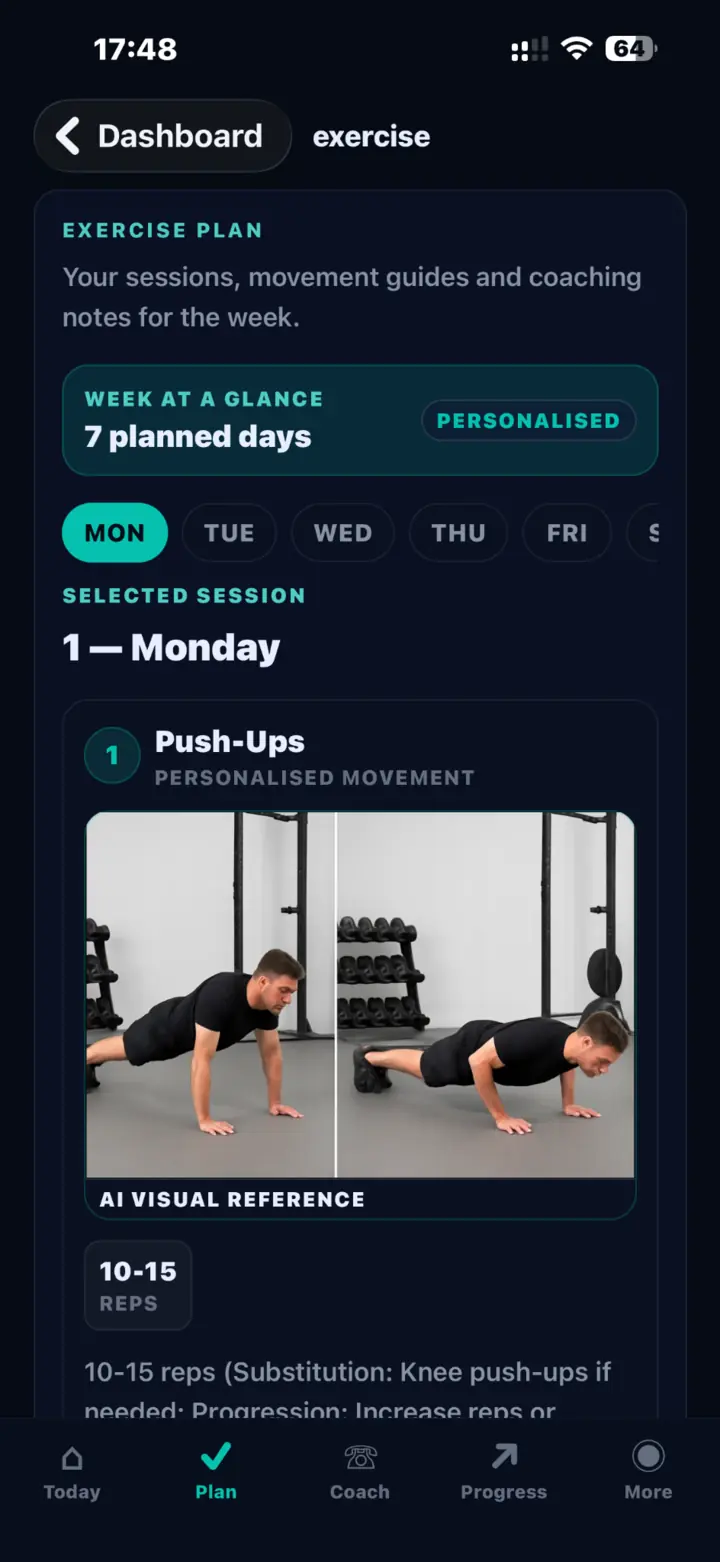
The initial exercise and eating plans use your goals, training level, schedule, session duration, dietary preferences and available equipment. When the plan is refreshed, FitPocket can expose the reasoning instead of presenting a silent replacement.
What changedSpecific exercise and eating-plan differences
What stayed stableThe structure that still supports the goal
Data consideredThe signals available for the update
Missing signalsMeasurements or feedback that could improve context
Personalized seven-day FitPocket exercise plan with a movement guide
The planned week and movement guidance.
FitPocket summary showing what changed across the exercise and eating plans
A visible summary of the approved plan update.
03 · PERFORMANCE FEEDBACK

Record what actually happened—not just that a workout opened.

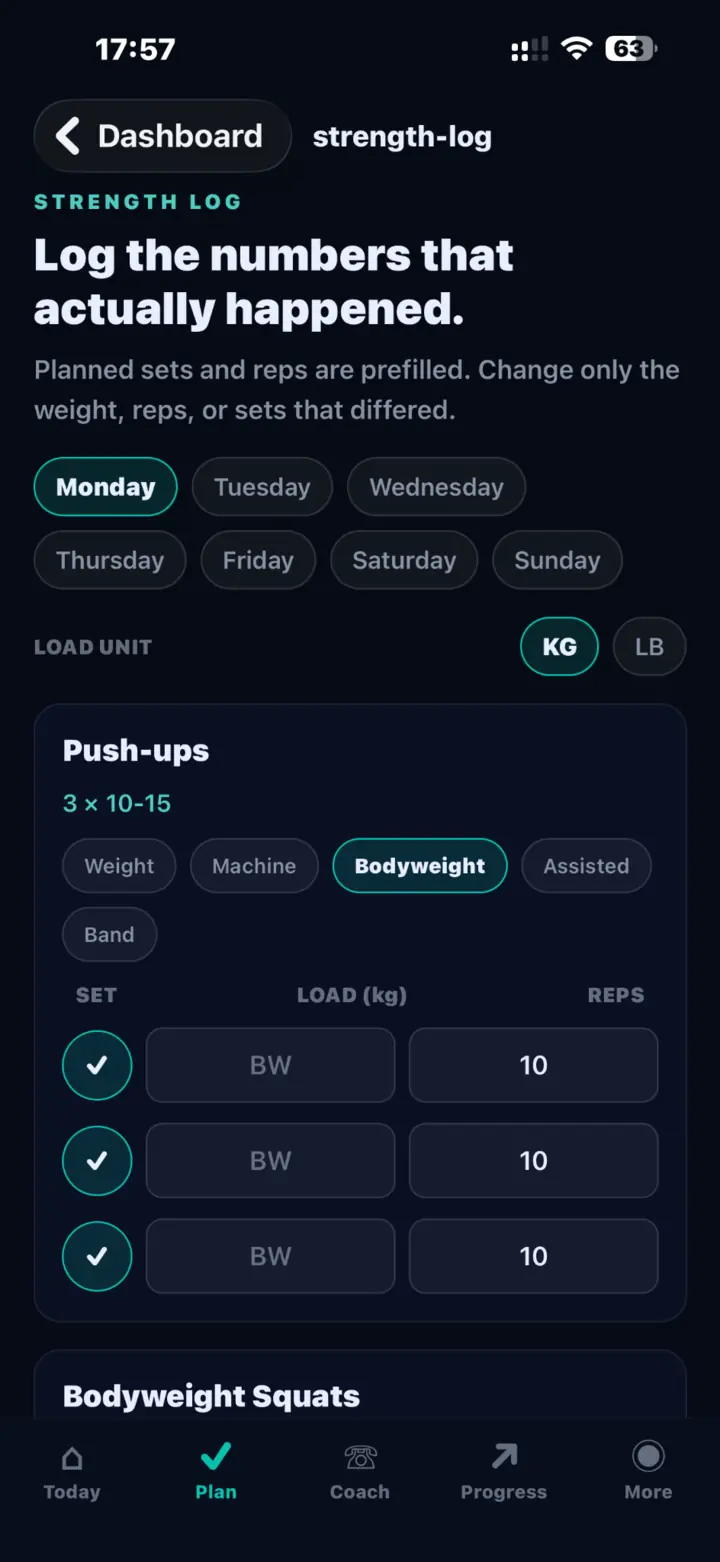
A workout check-in captures how the session felt. The strength log captures the performed sets, repetitions, resistance and completion. Together they give future progression more useful context than a simple completed checkbox.
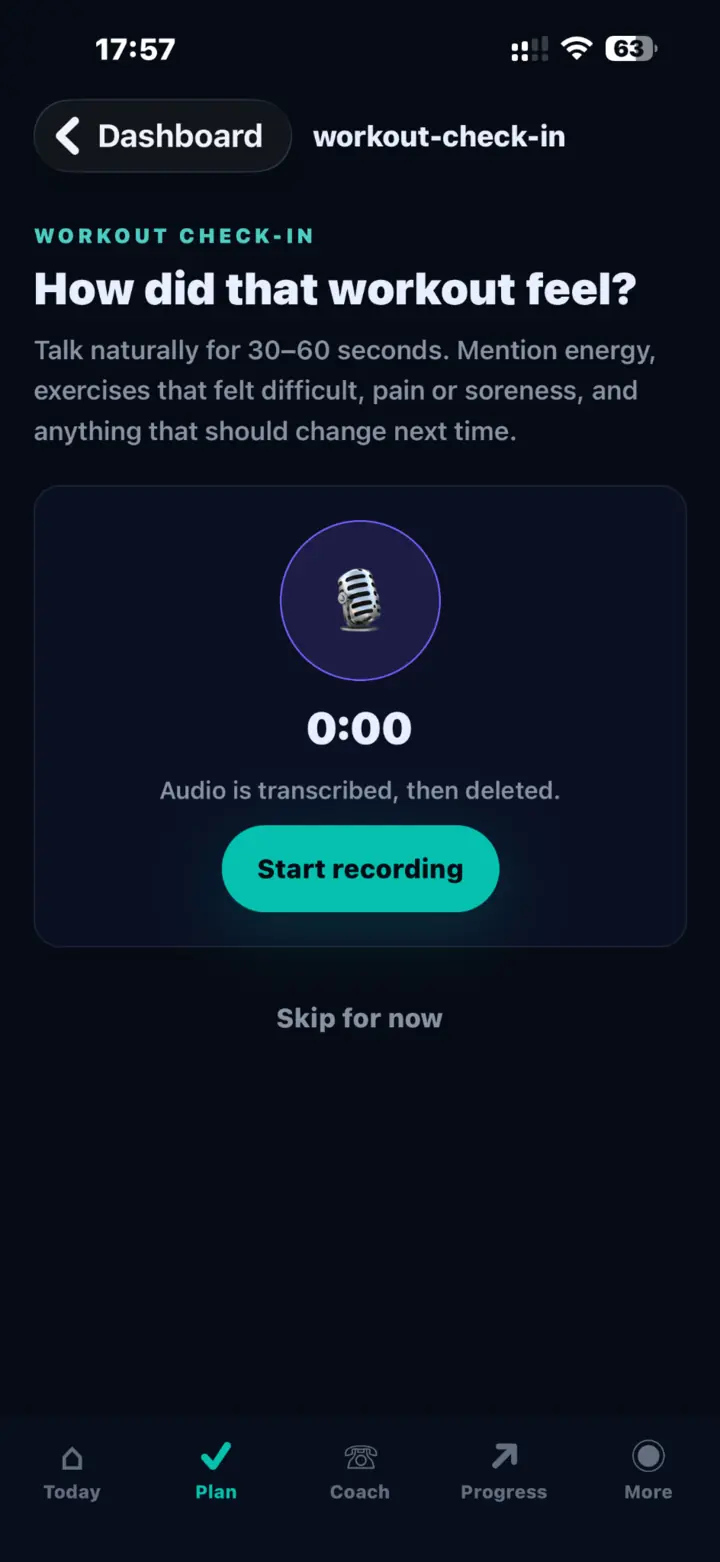
  • 30–60 second voice check-in for energy, difficulty, pain or soreness
  • Planned sets and repetitions are prefilled for faster logging
  • Only the values that differed need to change
  • Check-in audio is transcribed for the check-in and then deleted
FitPocket workout voice check-in asking how the workout felt
Voice feedback about the completed session.
FitPocket strength log with completed bodyweight push-up sets and repetitions
Actual sets, repetitions and resistance.
04 · PHOTO-BASED FLEX MEALS

Photograph the meal. Review the estimate. Approve the adjustment.

Flex meals are designed for real life. Add a meal photo and helpful details, let FitPocket estimate the meal, correct anything that looks wrong, and approve a moderate adjustment for the rest of the week.

  1. 1
    Add context

    Photograph the meal and describe anything the image may not show clearly.

  2. 2
    Review the estimate

    Check the identified foods and nutrition values before accepting them.

  3. 3
    Approve the plan change

    No flex-meal adjustment is silently applied.
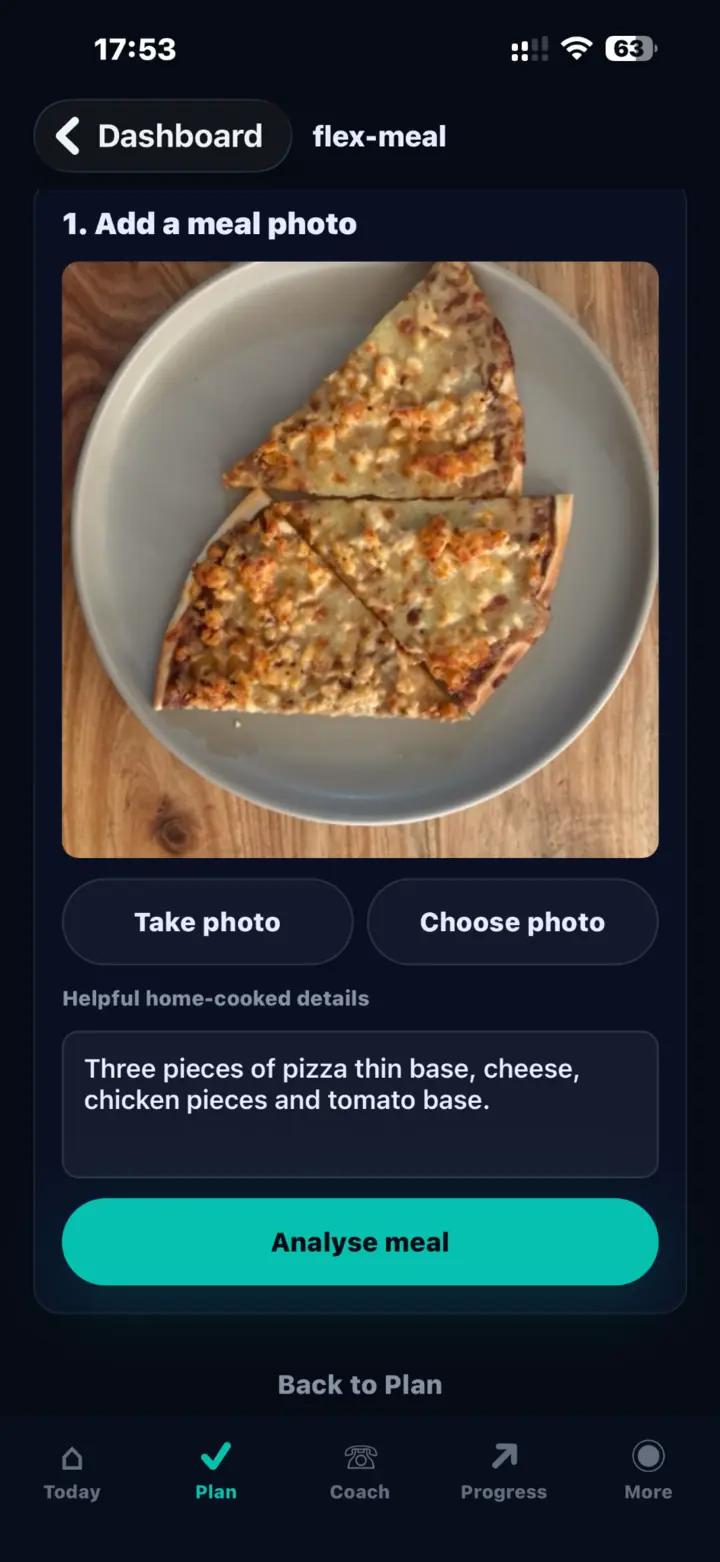
FitPocket flex meal screen with a pizza photo, helpful details and Analyze meal button
A real meal photo with user-supplied context before analysis.
05 · PROGRESS & CONNECTED SIGNALS

Progress beyond one number on the scale.

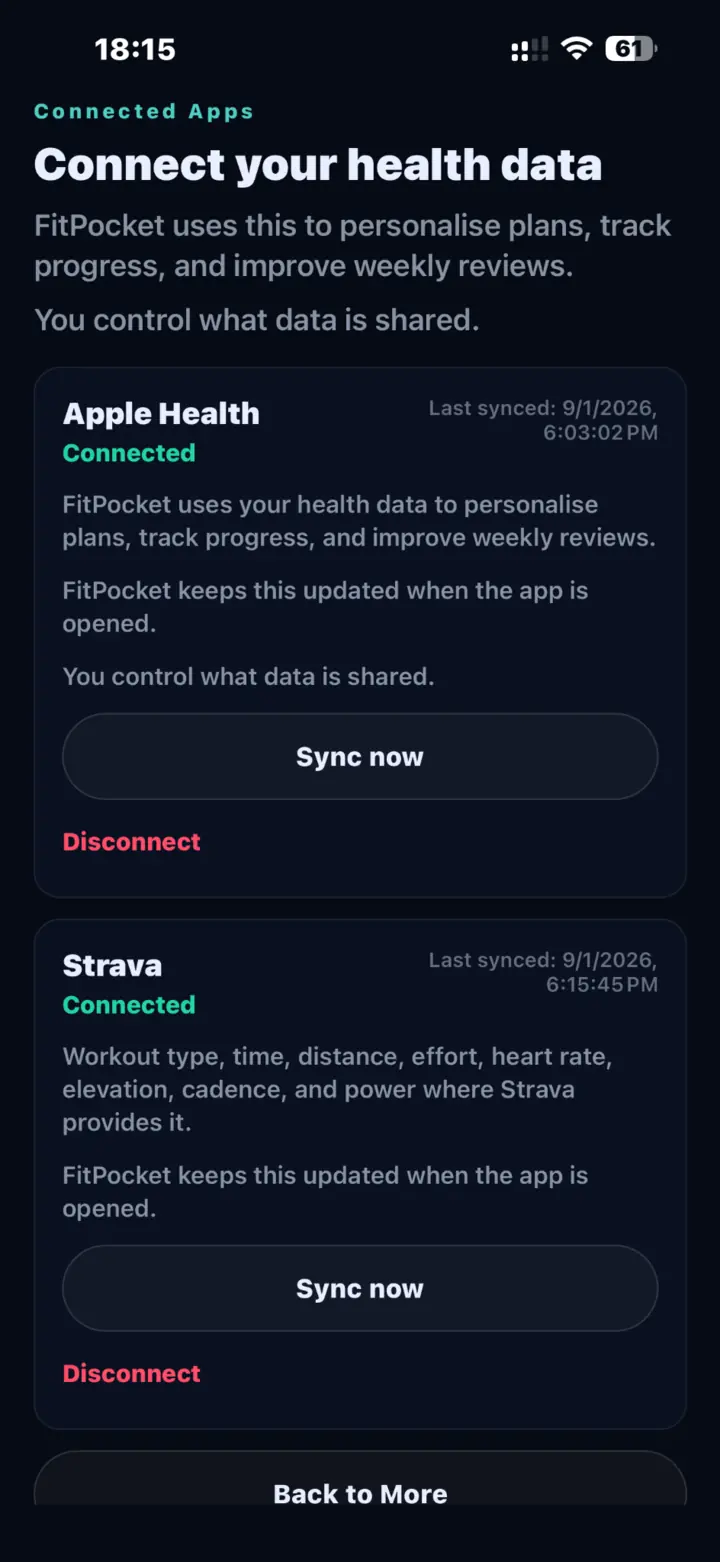
Guided front and side photos support consistent body-scan inputs. Apple Health and Strava can contribute supported health, workout, activity and recovery context when you choose to connect them.
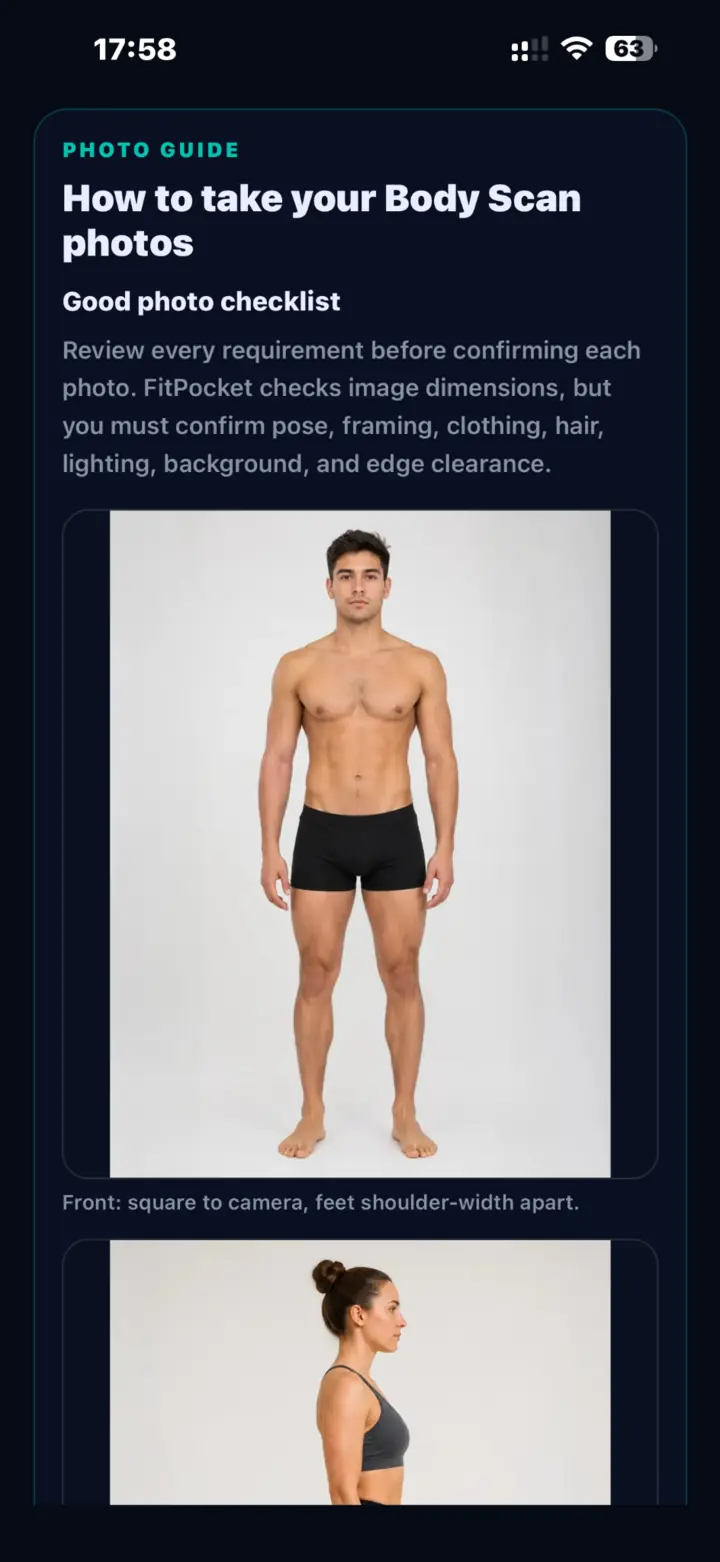
  • Guided pose, framing, lighting and background checklist
  • Measurements, progress photos and body-scan trends
  • Optional Apple Health and Strava connections
  • User-controlled syncing and disconnection
FitPocket body scan photo guide with front and side pose examples
Guidance for consistent front and side photos.
FitPocket connected apps screen showing Apple Health and Strava connected
Optional, user-controlled connected health signals.
PRODUCT TRUTH

What FitPocket does—and does not—claim.

Adaptive guidance

Available feedback can inform a refreshed exercise and eating plan.

User approval

Meal-photo estimates remain reviewable before an adjustment is applied.

No camera coaching claim

Live voice is audio coaching, not computer-vision rep counting or visual form correction.

No medical claim

FitPocket provides general fitness and wellness guidance, not diagnosis or treatment.

QUICK ANSWERS

FitPocket AI coaching questions.

Does FitPocket use the camera for live voice coaching?

No. The current live voice experience listens and responds through audio. It does not claim camera-based rep counting or visual form correction.

How does weather-aware scheduling work?

Weather can be one planning signal. If conditions make an outdoor session impractical, the plan can use an indoor, home or bodyweight alternative without assuming gym access.

Does a meal photo silently change my eating plan?

No. You review the estimate and approve a flex-meal adjustment before it changes the remaining weekly eating guidance.

Are body scans medical measurements?

No. Body scans, progress photos and related indicators are wellness progress tools, not medical measurements or diagnoses.

FITNESS THAT RESPONDS TO REAL LIFE

Build the plan. Log reality. Make the next plan smarter.

Start with FitPocket on iPhone. Android is coming soon.

Subscription required

Subscribe in the FitPocket mobile app to unlock this feature on both mobile and web.

Sign in required

You need to be signed in to use this feature.